
Navigation made for a phone
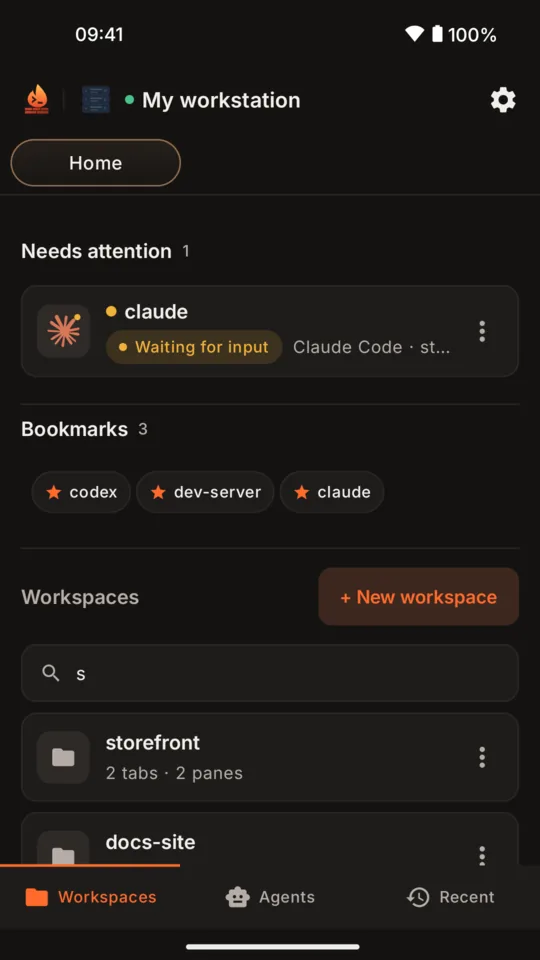
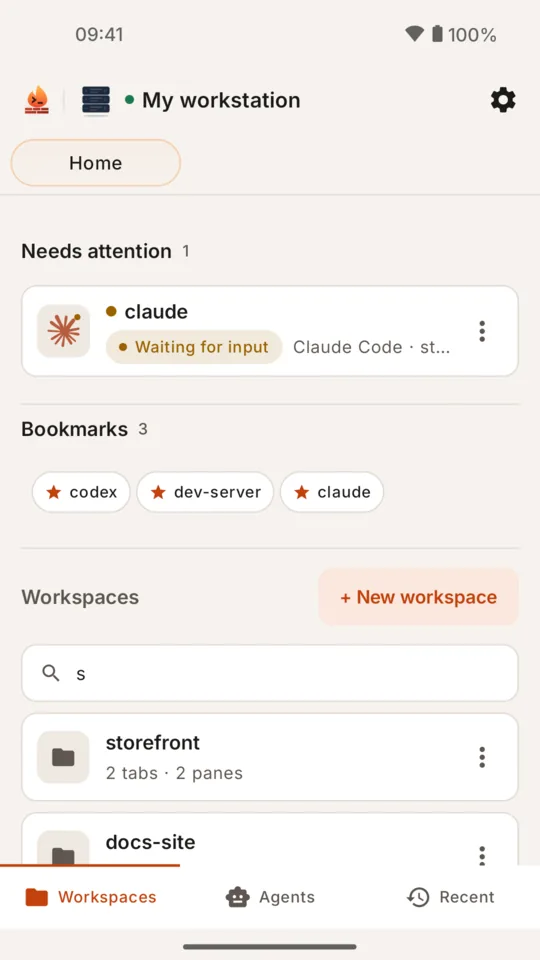
Browse workspaces, tabs and panes with searchable lists and tappable breadcrumbs. Create, rename and close them. Open a pane on its own, bookmark the ones you use, go back to recent panes or browse the Agents list.
Firebrik Terminal brings your Herdr workspaces to your phone. It connects to your own computer over SSH, takes you to the pane you need, and lets you work directly in its live terminal: Claude Code, Codex, Gemini CLI or a plain shell. When an agent is waiting for you, a notification opens its pane.
Coming soon: iPhone on the App Store, and desktop apps
You need a Mac or Linux computer running Herdr with SSH switched on, reachable from the phone on the same network or over Tailscale. Step-by-step setup guide →
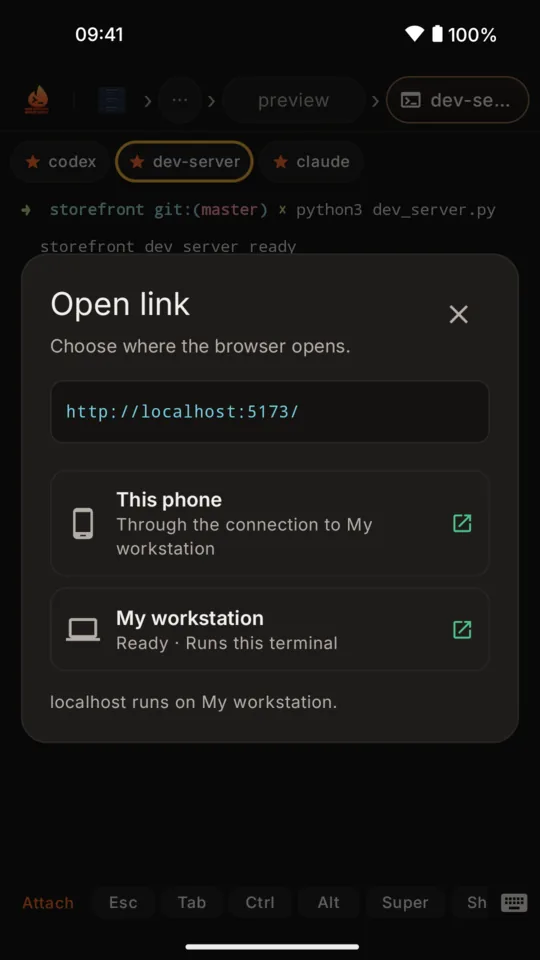
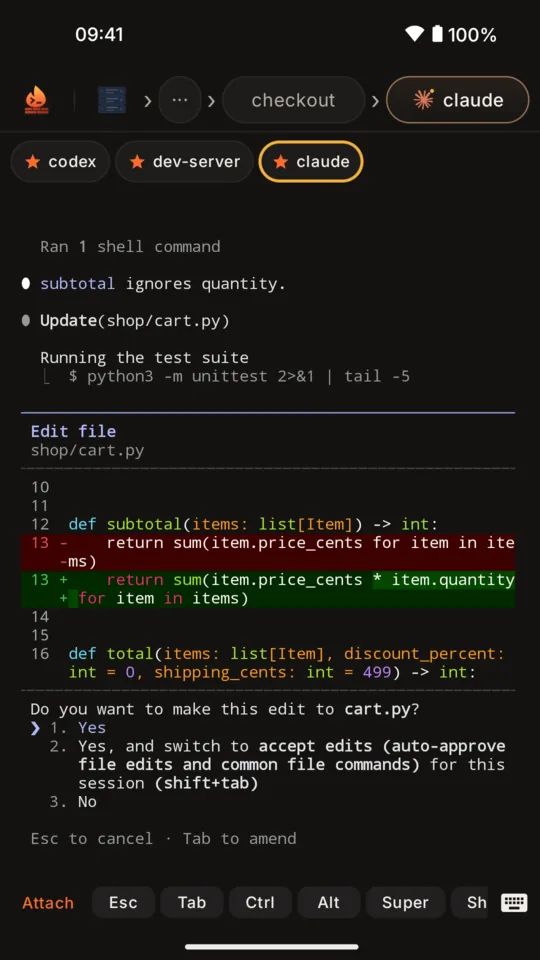
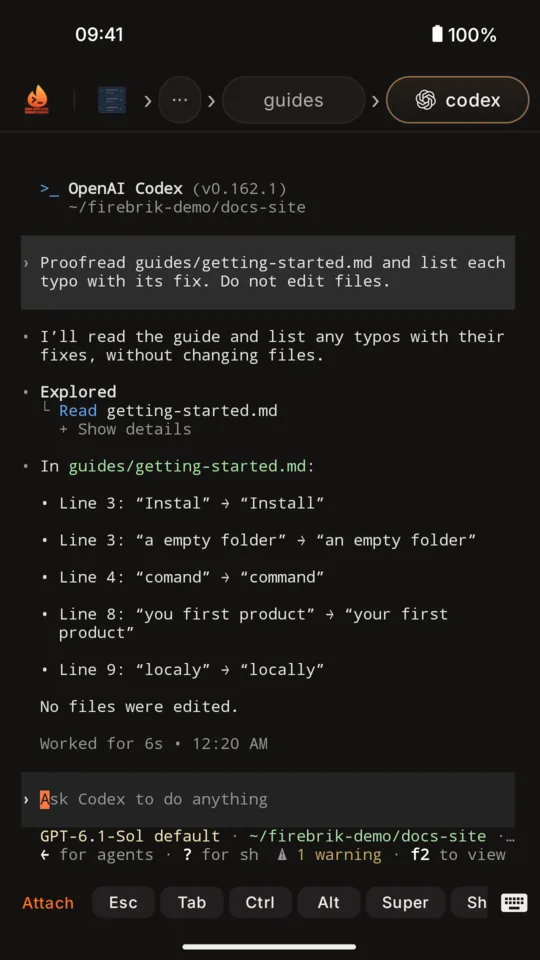
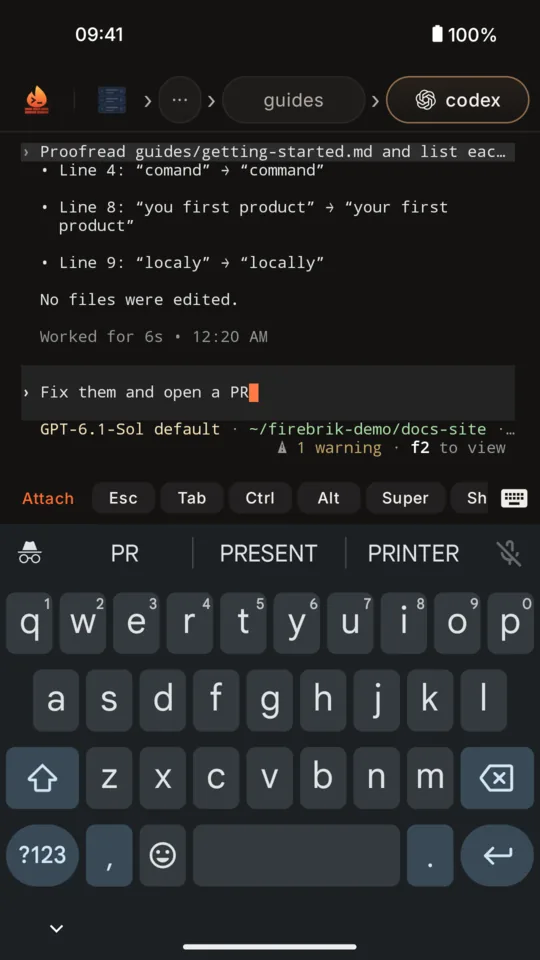
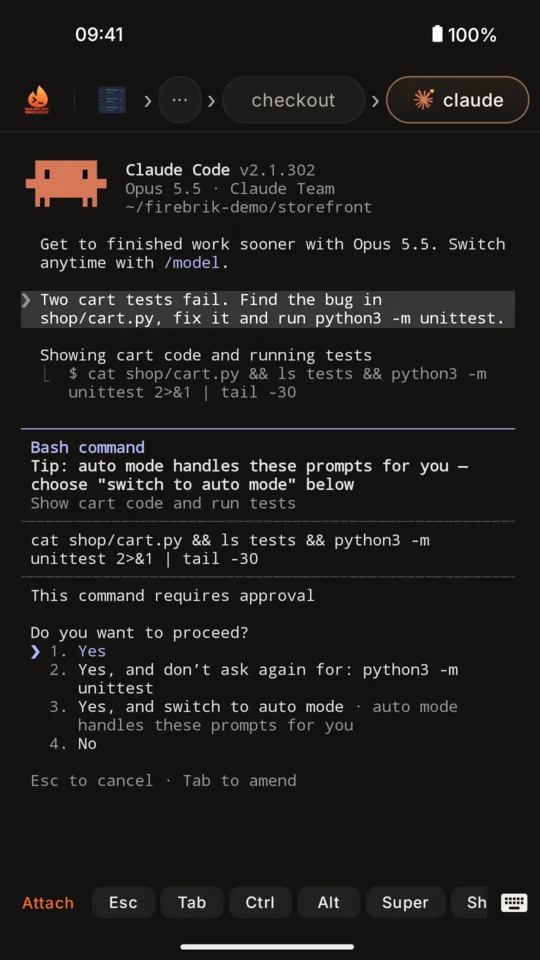
A silent screen recording of Firebrik Terminal. The home screen lists claude under Needs attention, waiting for input. Its pane opens on Claude Code asking whether to make an edit to cart.py, with the change shown as a red and green diff and numbered answers. A tapped link to localhost port 5173 opens the Open link dialog with two choices, This phone and My workstation. Choosing This phone opens the store's dev server in the phone's browser through the SSH connection. The last pane shows Codex's finished answer: the typos it found in a guide.
How to set it up
Install Herdr on the Mac or Linux machine where your agents run, start it with herdr, and start your agents inside its panes.
Remote Login on a Mac, openssh-server on Linux. Check it with ssh localhost.
On the same Wi‑Fi, use the computer's local address. Anywhere else, put both on Tailscale and use the computer's Tailscale name.
Get Firebrik Terminal from Google Play. No Firebrik account is needed.
Name, host or Tailscale address, port 22, your username, and herdr as Run on connect. Tap Generate key.
Type your SSH password once and tap Install key (it is not stored), or copy the key and paste it into ~/.ssh/authorized_keys. Tap Test, then Save & connect.
Workspaces, then a workspace, a tab and a pane: you are in the live terminal. Allow notifications so a waiting agent can reach you.
Stuck on a message? Every setup error and what to do about it.
Agents
Herdr reports when an agent is working, idle or waiting for you. When one waits, the app's home lists it under Needs attention, and Android shows a plain notification saying who is waiting and where. Tap it and the app opens that pane.
You see what the agent sees: the question, the coloured diff, the numbered choices. Answer with your keyboard or the key strip, exactly as you would at the desk.
Tap to open the pane. The answer is given in the terminal.
New in 1.10.6
Tap a web link in the terminal and choose where it opens. On this phone, a localhost link is forwarded through the SSH connection, so the dev server your agent started opens in the phone's browser. Or send the link to the browser of any of your saved computers.
The app checks each saved computer when the dialog opens and tells you whether it is ready, has no one logged in to its desktop, cannot open a browser, or is offline. Only the computer you choose receives the link.
What you get
Browse workspaces, tabs and panes with searchable lists and tappable breadcrumbs. Create, rename and close them. Open a pane on its own, bookmark the ones you use, go back to recent panes or browse the Agents list.
Your Android keyboard, with swipe typing and suggestions where it supports them. A key strip for Esc, Tab, Ctrl, Alt, Super, Shift and arrows; hold Backspace or an arrow to repeat.
Colours and layout stay as the agent drew them. Select and copy output, and open a link on the phone or in the browser of any of your saved computers.
Pick documents on the phone and upload them to the connected server over SFTP. Insert their paths into the pane when you choose; nothing is sent by itself.
Straight to the SSH server you configure, with no Firebrik relay. Save several servers, one connected at a time. Each device has its own SSH key, and host keys are pinned so a changed server is caught.
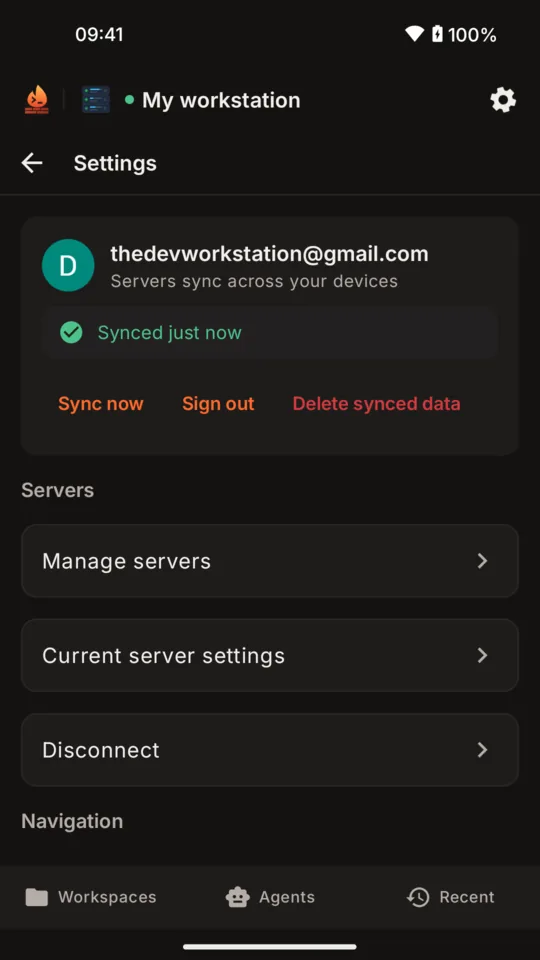
Optional Google sign-in keeps your server list the same on every device, in your own Google Drive app folder. Terminal access never needs it, and private keys are never synced.
Screens
Privacy by construction
herdr                # your agents run here (herdr.dev)
sshd                 # reachable from the phone

# added once by the app, or by you:
~/.ssh/authorized_keys
  → the phone's public key

# reach it over
same Wi‑Fi · tailscale · any SSH you can reach
Questions
Not yet. Firebrik Terminal is on Android today; an iPhone app on the App Store and desktop apps are coming soon.
No. The app talks to your own SSH server. Sign in with Google is optional and only keeps your server list in your own Google Drive.
Any agent you run in a Herdr pane. Herdr recognises Claude Code, Codex, Gemini CLI, Antigravity, Cursor, OpenCode and more, and reports when one is working, idle or waiting for you; the app shows that state, lists waiting agents under Needs attention and sends a notification that opens the pane.
In its pane, the way you would at the desk. The notification takes you there; you read the question and the diff, then type your answer or use the key strip for Enter, arrows and Esc.
Yes. Tap the localhost link in the terminal and choose This phone: the page opens in the phone's browser through the SSH connection. You can also send any link to the browser of another saved computer.
Yes, as long as your phone can reach the computer over SSH. Tailscale or another VPN is the easiest way. There is no Firebrik relay to go through.
Install Herdr, switch on SSH, make the computer reachable (same network or Tailscale), then add it in the app and add the device key once. The setup guide walks through each step for macOS and Linux, with the exact commands and what every error message means.
On the phone, in the Android Keystore. It is created there, never synced and never exported. A new device asks once per server to add its own key.
A full terminal attached to your Herdr session. Type with the system keyboard, use the key strip for Esc, Tab, Ctrl, Alt and arrows, select and copy text, open links, and upload files to the server over the same connection.
The app keeps your saved servers, bookmarks, drafts and recent terminal output on the device, and optionally a copy of the server list in your own Drive. No analytics, no telemetry. The full policy is at firebrik.com/terminal/privacy/1.10.6.
Available now
Install on Android, add your computer, and answer the next agent from wherever you are.
Coming soon: iPhone on the App Store, and desktop apps